How to set when UptimeAgent alerts you
Per-domain rules for slowness, certificate warnings and your error budget.
Where alerts go is account-wide. When they fire is set per domain — a marketing site and a checkout do not deserve the same definition of “worth waking someone for”.
Who can do this: Owner and DevOps. Everyone can read it.
Pick the domain first
Open Notification settings and choose any tab other than the first. A Domain selector appears above the settings. Everything below it belongs to the domain you pick. With more than six domains, a filter box appears.
When we alert you
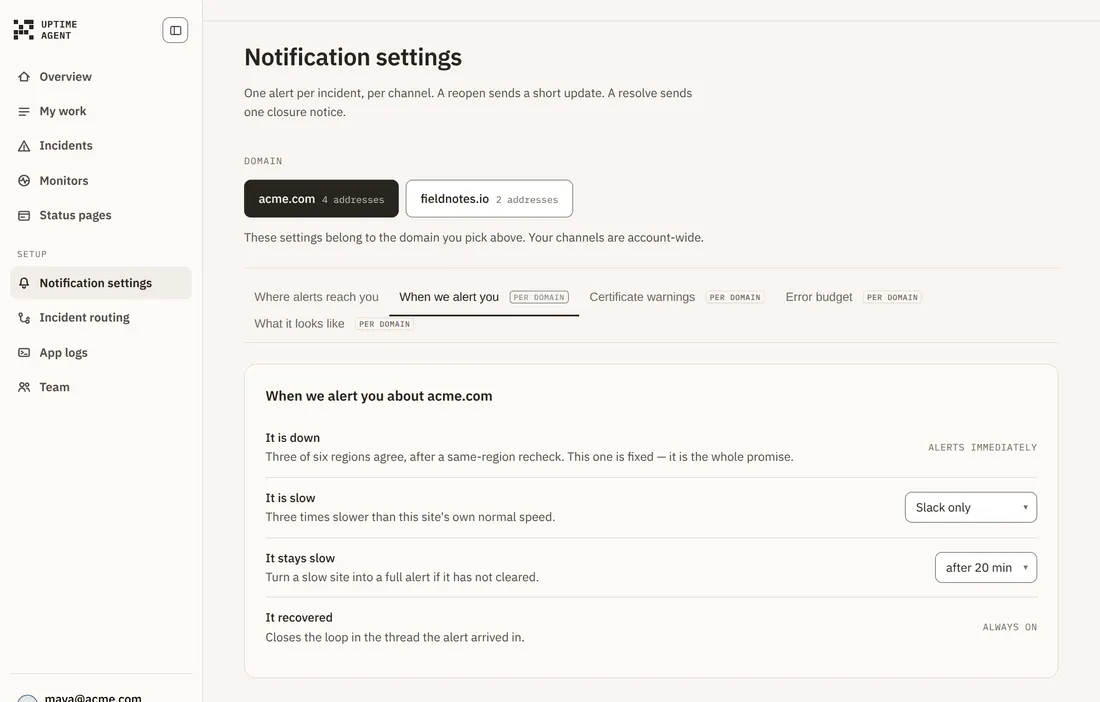
- It is down — any one region that sees it fail on consecutive checks opens the incident; regions do not vote. Once something looks wrong that region rechecks every ten seconds, and three failures in a row confirm it. The incident page states the exact rule it used. Alerts immediately, and this is fixed. It is the whole promise.
- It is slow — three times slower than this site’s own normal speed. Choose Slack only, Alert immediately or Ignore.
- It stays slow — turn a slow site into a full alert if it has not cleared after 10, 20, 30 or 60 minutes.
- It recovered — always on. Closes the loop in the thread the alert arrived in.
Slowness is measured against this site’s own seven-day median, not a global average, so a site that is normally slow is not permanently alarming.
Certificate and domain warnings
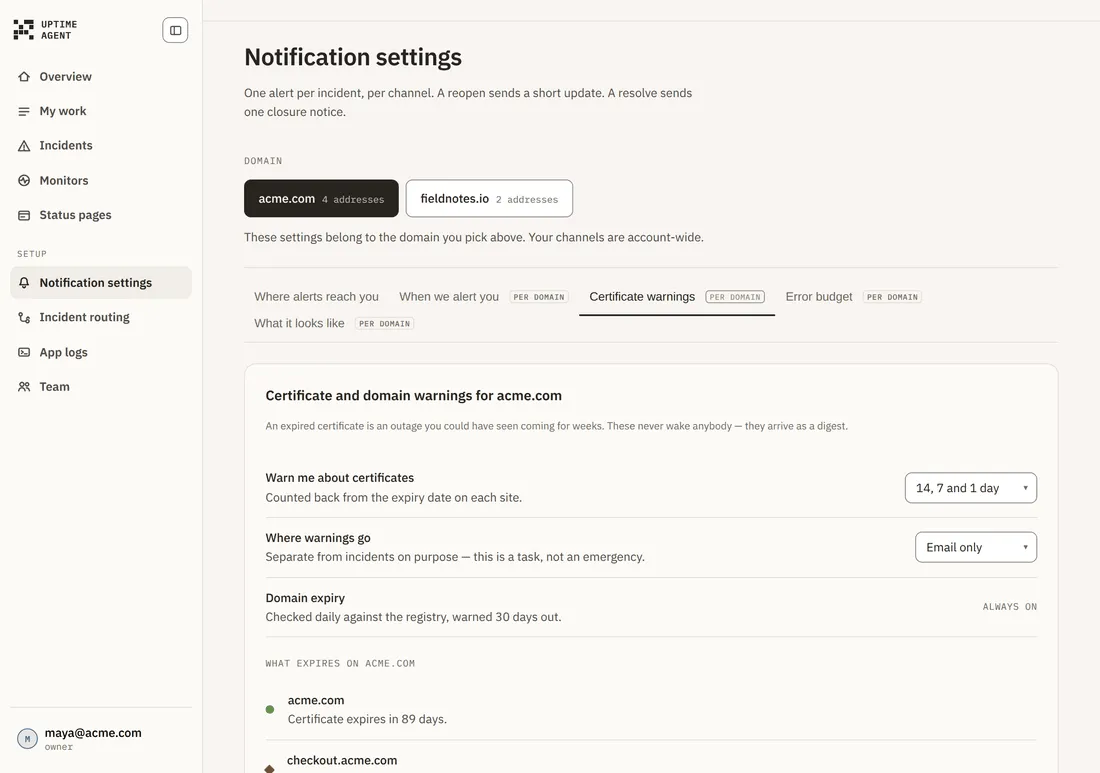
An expired certificate is an outage you could have seen coming for weeks. These never wake anybody — they arrive as a digest.
- Warn me about certificates — 14, 7 and 1 day; or 30, 14 and 7 days; or 7 days only. Counted back from the expiry date on each site.
- Where warnings go — Email only, or Email and Slack. Kept separate from incidents on purpose: this is a task, not an emergency.
- Domain expiry — checked daily against the registry and warned 30 days out. Always on.
Below the settings, every address on the selected domain is listed with the days left on its certificate.
Error budget
How much downtime this domain is allowed before its target is missed. It turns “is this worth a 3am alert” into a number instead of an argument.
Set an uptime target and the allowance follows from it:
- 99.0% — 432 minutes a month
- 99.5% — 216 minutes a month
- 99.9% — 43 minutes a month
- 99.95% — 22 minutes a month
Only confirmed downtime spends the allowance. Internal addresses such as staging never spend it — it measures what a customer felt.
Troubleshooting
My changes applied to the wrong site. Check the Domain selector above the tabs. The selected domain stays on screen even when a filter hides it.
I cannot switch off down alerts. Correct — a confirmed outage always alerts. If you need silence during planned work, pause the monitor instead.
The controls are disabled. You are signed in as a Developer. Changing these is an Owner or DevOps action.