How to add the status pill to your website footer
One script tag puts a live status mark in your footer. It updates itself.
The pill is the one piece of UptimeAgent your customers see every day. It sits in your footer and shows, live, that you are up — signed by the same agent that checks your domain.
Who can do this: anyone can copy the tag; the page it reads from must be published, which is an Owner or DevOps action.
Before you start
The pill reads from your status page, so that page has to be published first. You can copy the tag at any time, but until a site is shown on a published page the pill has nothing to show, and Preview on a sample page stays disabled.
Get the tag
Open Status pills in the sidebar, then choose your domain.
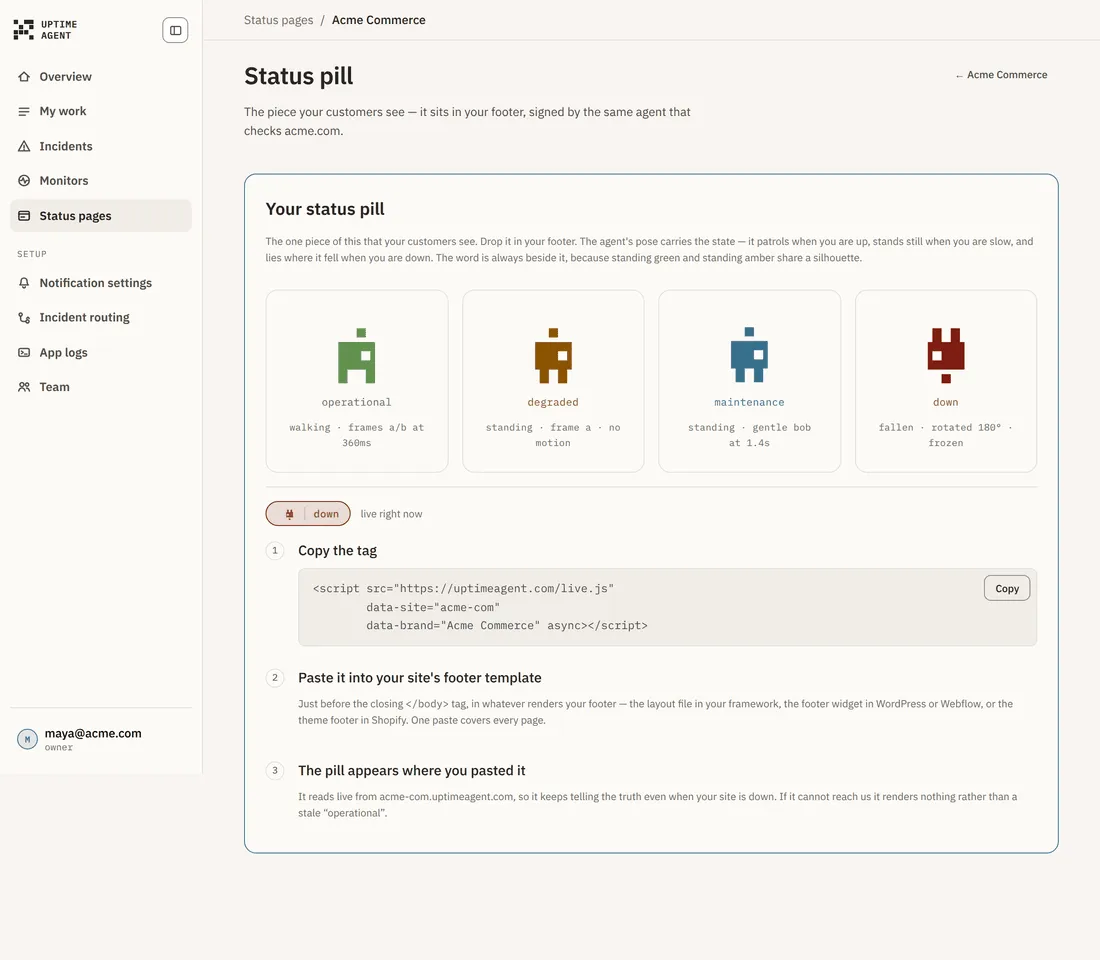
The three steps
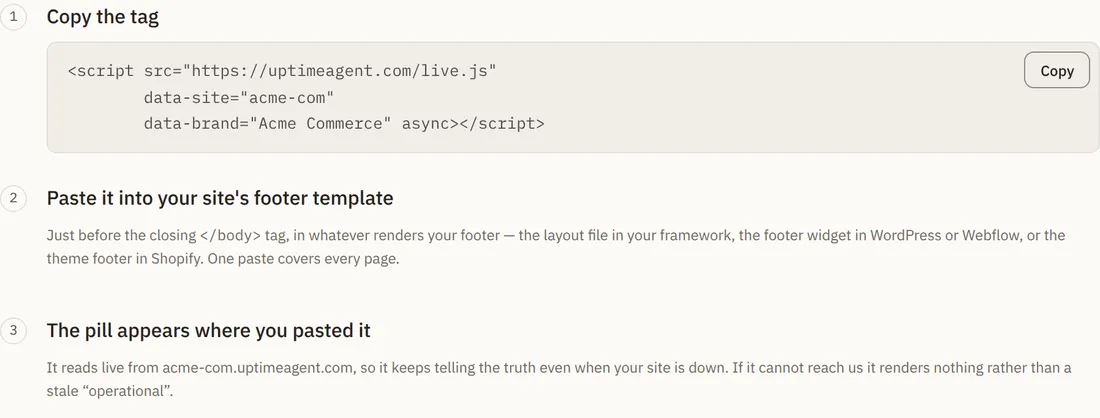
1. Copy the tag
Choose Copy embed on the Status pill page rather than retyping it — the tag arrives with your own page address and slug already filled in. It is two lines: a script element, and a placeholder that marks where the pill appears.
- src —
/embed/v1/badge.js, served from your status page’s own address - data-site — your page slug, for example
acme-com - data-theme —
auto,lightordark, whichever you picked on the Status pill page - async — so it never blocks your page from rendering
<div data-uptimeagent-pill></div>— the pill renders here
2. Paste it into your site’s footer template
Paste both lines right where the pill should sit — just before the closing footer tag works well. The script can go anywhere, even the head; the placeholder marks where the pill appears.
Pick Your framework on the Status pill page and the snippet changes to match:
- HTML or Astro — the two lines, into whatever renders your footer.
- React, Next.js, Vue / Nuxt, Svelte / SvelteKit, Angular — a small component to save and render inside your footer component.
- WordPress — the footer widget, or footer.php in your theme.
One paste covers every page.
3. The pill appears where you pasted it
It reads live from your status page’s address, so it keeps telling the truth even when your own site is down. If it cannot reach us it renders nothing, rather than a stale “operational”.
What each state looks like
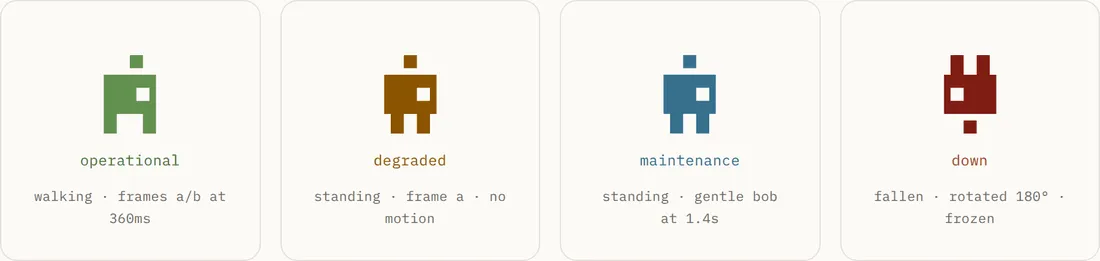
The agent’s pose carries the state, and the word is always beside it — because standing green and standing amber share a silhouette.
- operational (green) — the agent patrols. Everything on the page is up.
- degraded (amber) — the agent stands still. Something is slow but nothing is offline.
- maintenance (blue) — the agent stands, bobbing gently, working.
- down (red) — the agent lies where it fell. Something on the page is not answering.
Troubleshooting
The pill shows nothing. Your status page is not published, or no site is shown on it. Publish it first — the pill reads that page’s endpoint.
Nothing renders on my site. Confirm both lines made it onto the page and that your content security policy allows the script from your status page’s address and connections to our API — the Status pill page lists both origins under Using a Content-Security-Policy?. The pill deliberately renders nothing when it cannot reach us.
The pill shows down but my site looks fine to me. The pill reflects your status page, which reflects checks from several regions. A regional problem is invisible from your own desk — open the incident to see which regions failed.