How to read your Overview and know what to do next
What each part of the Overview page means, and how to finish setting up.
Overview is the page you land on. It is built to answer one question — is there anything I need to do? — before it shows you anything else.
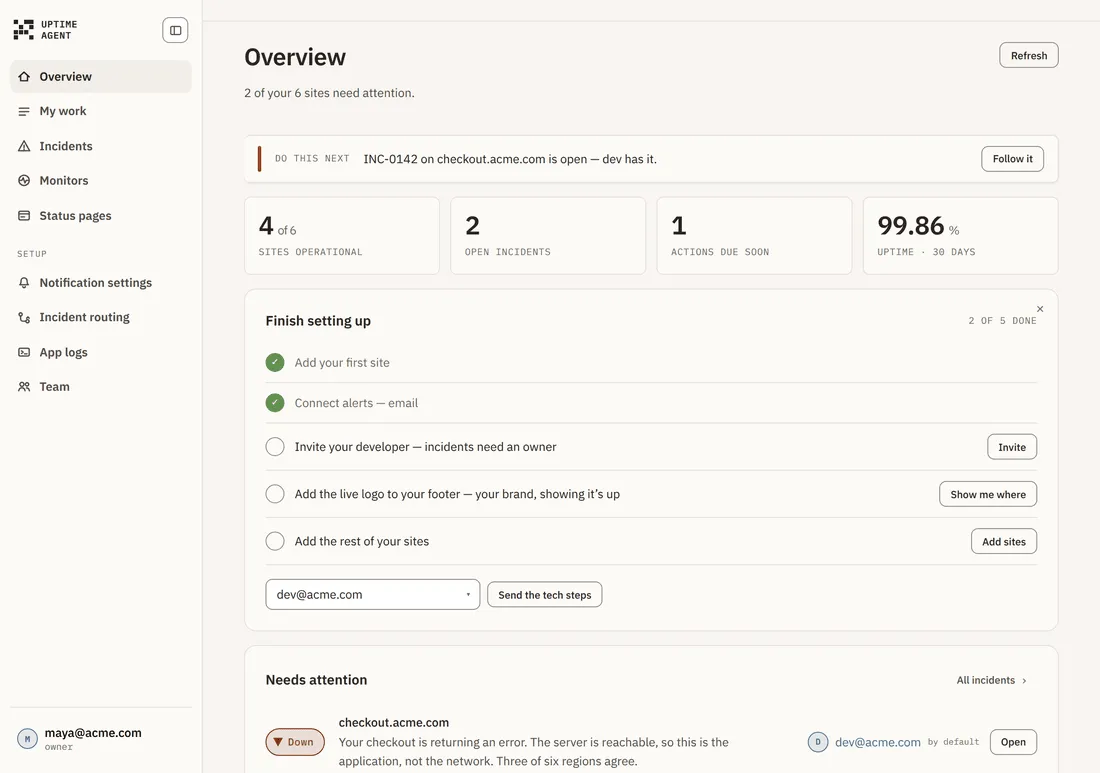
The summary line
Directly under the title, in plain language: “All 6 sites are up. Nothing needs you right now”, or “2 of your 6 sites need attention”. If that line is calm, you can close the tab.
Do this next

Exactly one action, never two. It is recomputed every time the page loads, in this order of priority:
- An open incident nobody owns — Assign it to me
- An open incident that is yours — Work on it
- An open incident somebody else has — Follow it
- The next unfinished setup item — its own action
- An unpublished status page — Publish it
- Everything green and you have never watched the loop fire — Run a drill
If none of those apply, the bar does not render at all. The summary line has already told you everything is well.
The four numbers
Every tile is a link, because a number you cannot act on is decoration.
- Sites operational — how many of your monitors are healthy. Goes to Monitors.
- Open incidents — goes to Incidents.
- Actions due soon — certificates and domains expiring. Goes to Notification settings.
- Uptime — across all your sites over the last 30 days. Shows a dash until your first check completes. Goes to Monitors.
Finish setting up
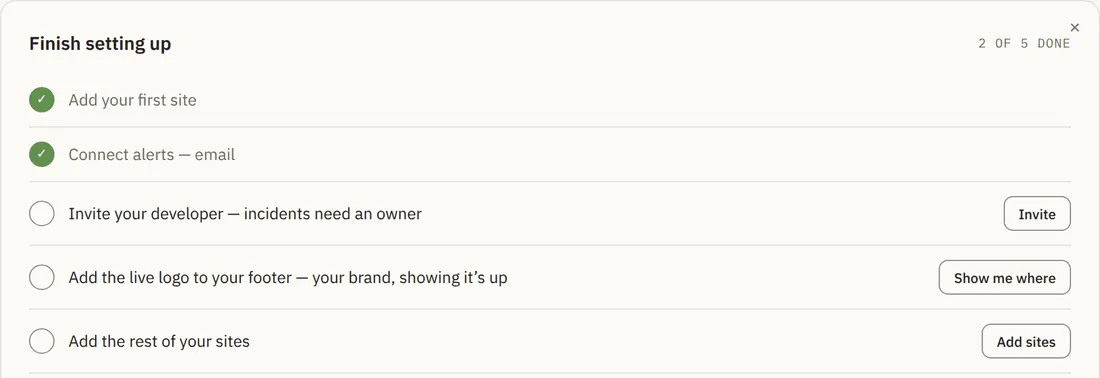
Five items, each with its own button. Two are usually already done from onboarding — your first site and email alerts. The rest are:
- Invite your developer — incidents need an owner.
- Add the status pill to your footer — live proof you are up.
- Add the rest of your sites.
The card can be dismissed with the x and does not come back.
When setup is done
The checklist is replaced by a summary of how the product now works for you: what happens when something breaks, what happens while an incident is open, and what runs between incidents. Each column has one action, including Run a drill — a simulated outage sent through the real pipeline so you can watch the loop fire while everything is calm.
Needs attention
Below all of that, every open incident with its plain-language summary, its owner and a way straight into it.