How to post status updates your customers can see
Write an update on an incident and choose whether it appears on your public status page.
The agent reports what it measured. Updates are where you say what it means and what you are doing about it. Anything you mark public appears on your status page straight away, so customers read your words instead of silence.
Who can do this: Owner and DevOps, on any incident — owning it is not required.
Write an update
Open the incident and scroll to Updates.
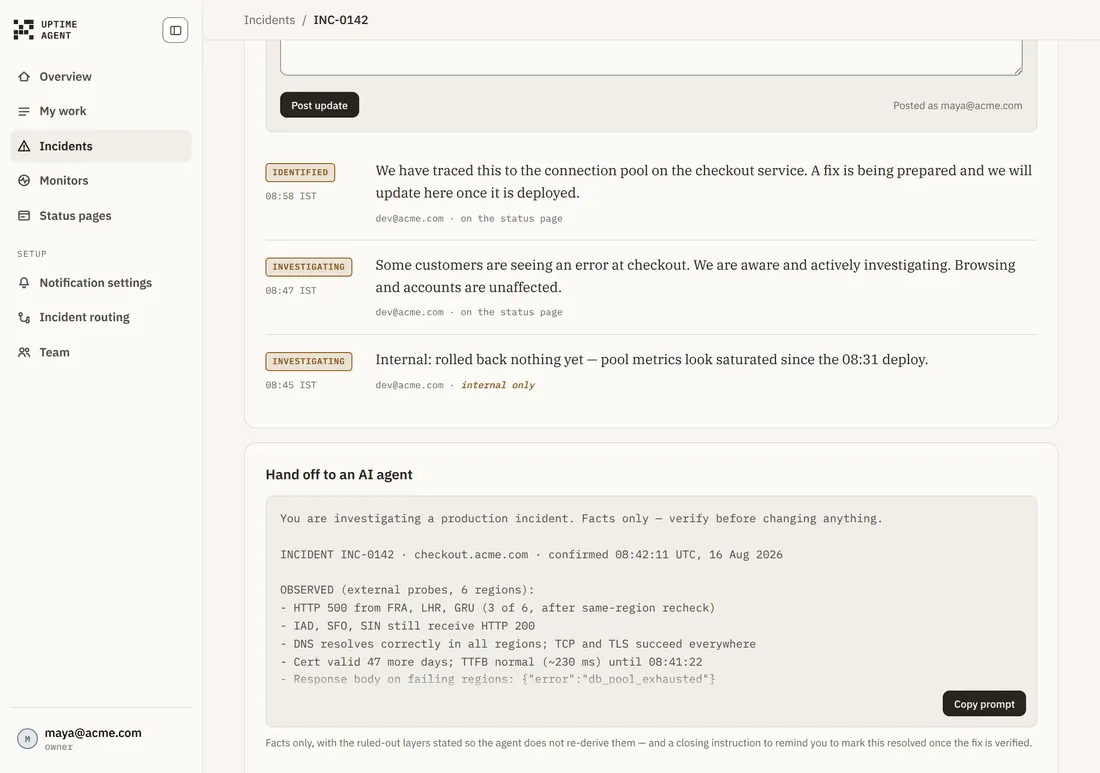
- Choose a status — Investigating, Identified, Monitoring or Resolved.
- Leave Show this on the public status page ticked, or untick it for an internal-only note.
- Write the update.
- Choose Post update.
The card header tells you how many updates are public and how many are internal. Each posted update is stamped with who wrote it and whether it went public.
How to write one
The field prompts you for it: what is happening, in the words a customer would use. No internal names, no stack traces.
Good: “Checkout is failing for some customers. We have found the cause and are deploying a fix.”
Not this: “500s from the checkout pod after the migration — rolling back the deploy.”
Where it appears
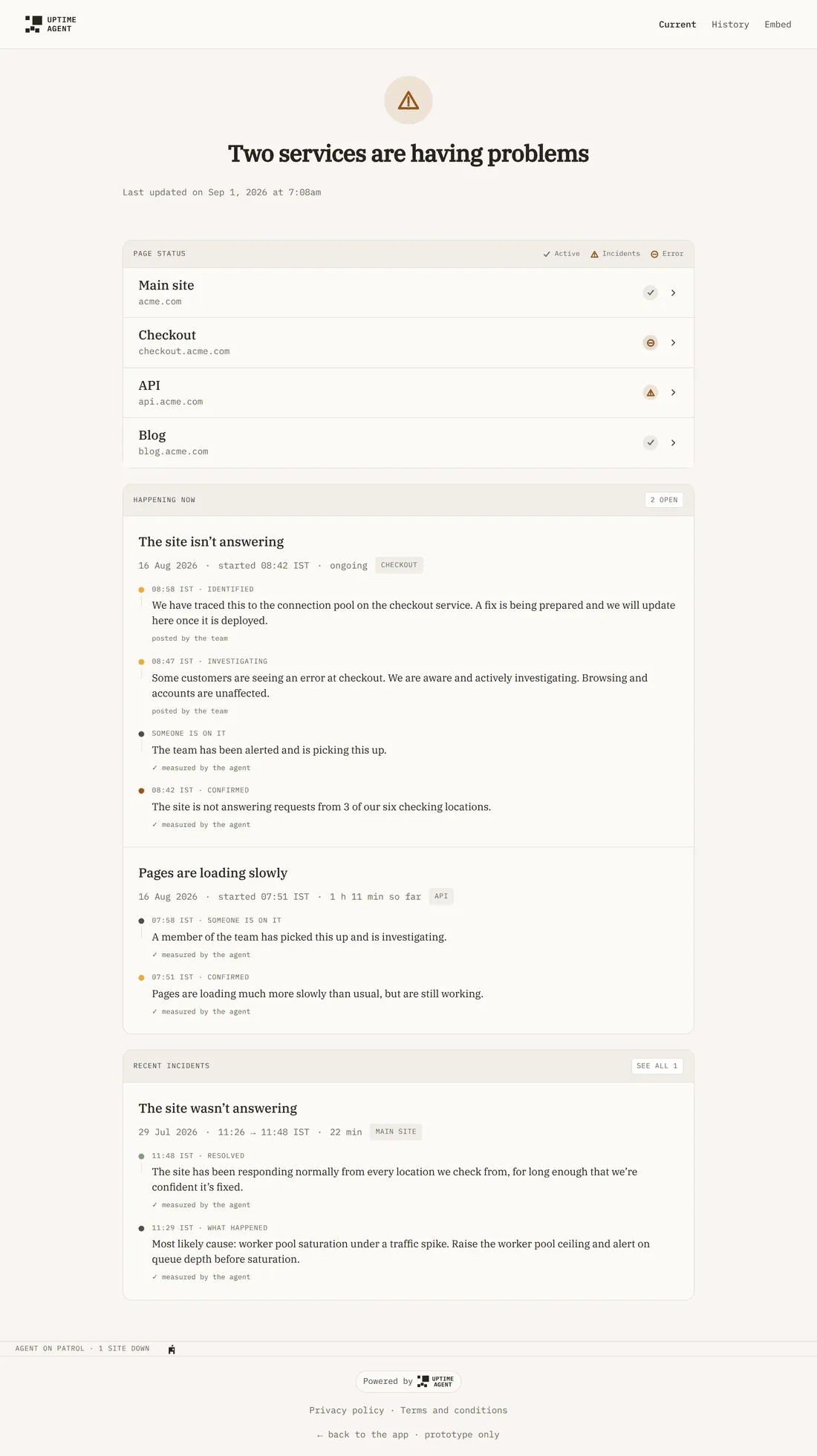
Public updates interleave with the agent’s measurements by time, but they never share a byline:
- posted by the team — your words.
- measured by the agent — what the checks observed.
That separation is deliberate: a sentence you wrote must not be read as something we confirmed.
If you write nothing
Visitors see the agent’s line and nothing else. That is honest but thin — it says what is broken, not what you are doing about it.
Troubleshooting
The controls are greyed out, with a note that you can read updates but not write one. Posting needs the Owner or DevOps role; owning the incident does not grant it. Ask an Owner or DevOps to post it.
I posted an update and it is not on the status page. Either it was posted as internal only, or the status page is not published, or that site’s chip is switched off.
Post update did nothing. An empty update is rejected — write something first.